If you are a user that has had an issue with how your workbook looks after upgrading to 4.8, please try the following steps.
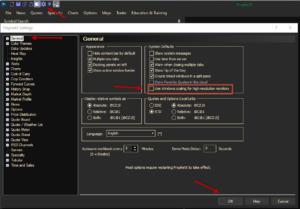
- Click on the Settings (Wheel) icon at the top of your client
- Click on General in the Left hand Menu
- Click on the box next to “Use Windows scaling for high resolution monitors”
- Make sure there is a check mark in the box.
- Restart ProphetX