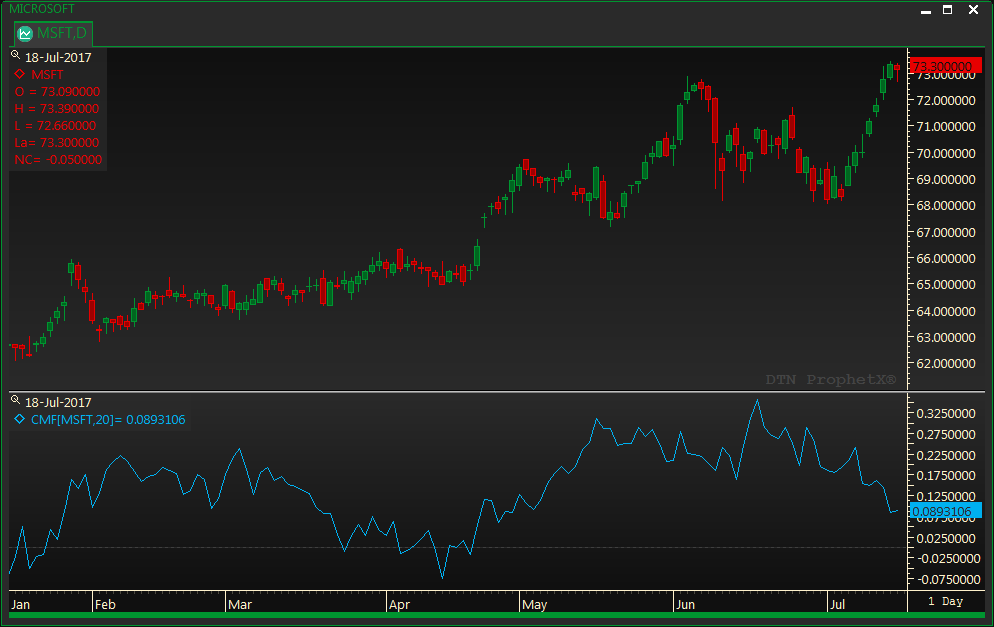
The Chaikin Money Flow (CMF) uses calculations to combine the price and volume to display how money flows in and out of security of a specific period of time – typically 20 or 21 periods. (The ProphetX system default is 20.)
When the indicator is rising, it shows that money is flowing in and when the indicator is going down, it indicates that the money is starting to flow out.
The purpose of the indicator is to give you an advanced warning of big moves up or down in an instrument’s price and is useful to determine entry and exit points on an instrument.
- To add the study, either right click in the chart and select Add Study/Chaikin Money Flow or drag and drop the study onto the chart
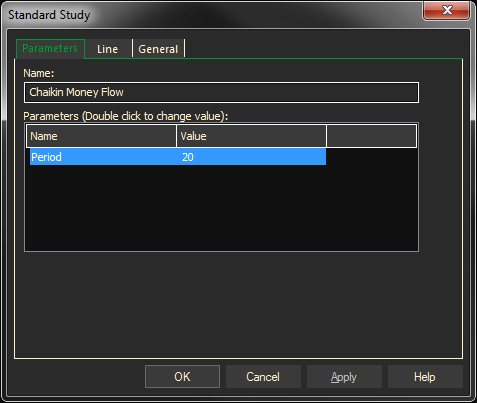
- Right click on the added study line to change the Properties (number of periods to calculate the study)
- If necessary, add a horizontal trend line at 0
The example below shows the CMF added to a chart on Microsoft.